

Only this week -0% For Stencils & PCB Work

Best Microscopes for Mobile Phone Motherboard Repair: A Buyer’s Guide

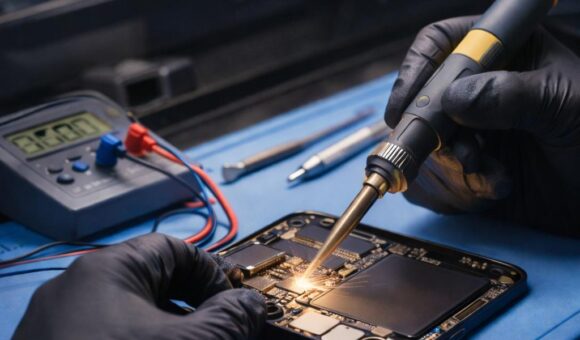
A microscope is an essential tool for mobile phone technicians who perform motherboard repairs, micro-soldering and other precision electronics work. It provides magnification that makes it easier to inspect small components, solder joints, connectors and circuit-board damage that may be difficult to see with the naked eye.

The best microscope for phone repair depends on the type of work you perform, your budget, the magnification you need and how comfortably you can work under it.

For most technicians doing regular motherboard-level repairs, a stereo microscope is a practical choice because it provides depth perception and a three-dimensional view of the work area. Digital microscopes are also useful, particularly when you want to display and capture images on a screen.

This guide explains the main microscope types, features and buying considerations for mobile phone repair technicians in Kenya.

Why do mobile phone repair technicians need a microscope?

Modern smartphone motherboards contain small components packed closely together. Some faults are difficult to identify without magnification.

A microscope helps technicians:

  • Inspect small solder joints and component connections.
  • Identify corrosion and physical damage.
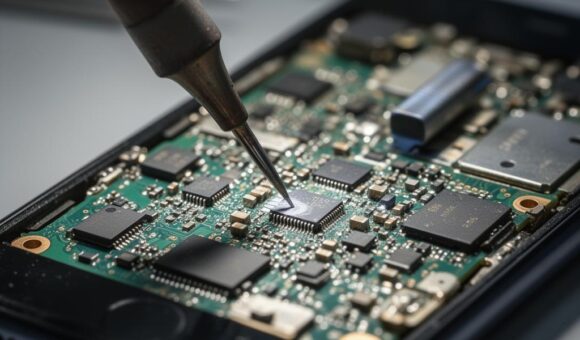
  • Examine connectors and fine-pitch components.
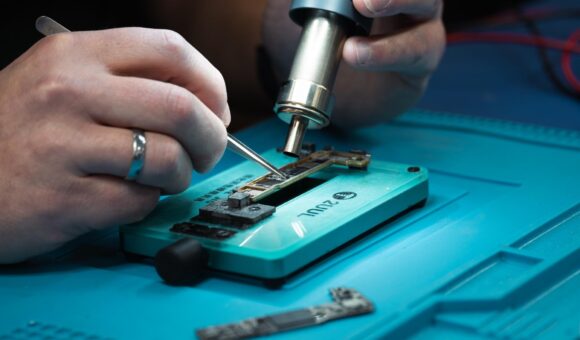
  • Position soldering tools more accurately during micro-soldering.
  • Inspect work after component replacement.
  • Examine PCB tracks and pads during motherboard repairs.

Magnification improves visibility, but it does not replace good lighting, proper soldering technique or electrical testing.

1. Understand the different types of microscopes

Not all microscopes are designed for the same work. The three common options to consider are stereo microscopes, digital microscopes and compound microscopes.

Stereo microscopes

A stereo microscope provides a three-dimensional view of the object being examined. This depth perception is useful when positioning soldering tools, handling small components and performing motherboard repairs.

Advantages include:

  • Depth perception for precision work.
  • A natural view through eyepieces.
  • Space to work with tools beneath the objective lens.
  • Suitability for component inspection and micro-soldering.

A stereo microscope is often a strong choice for technicians who spend significant time working directly on smartphone motherboards.

Digital microscopes

A digital microscope uses a camera and displays the magnified image on a monitor or screen.

Advantages include:

  • A larger viewing display.
  • Ability to capture photographs or video, depending on the model.
  • Convenient viewing for demonstrations and training.
  • Reduced need to look continuously through eyepieces.

However, some digital microscopes provide less natural depth perception than stereo microscopes. Check the working distance, image quality, latency and controls before buying one for precision soldering.

Compound microscopes

Compound microscopes use optical magnification to examine very small specimens, usually at higher magnifications.

They are useful in laboratory and scientific applications, but many conventional compound microscopes are less convenient for hands-on motherboard repair because they may not provide the working space needed for soldering tools.

For most phone repair benches, a stereo or suitable digital microscope is generally more practical.

2. How much magnification do you need?

Magnification is one of the first specifications technicians consider when choosing a microscope. However, higher magnification is not always better.

For motherboard repair, you need enough magnification to see small components clearly while retaining a useful field of view and sufficient working distance.

Consider these factors:

  • Low magnification: Provides a wider view for locating components and inspecting larger sections of a board.
  • Medium magnification: Useful for examining solder joints, connectors and small components.
  • Higher magnification: Helps inspect finer details, but reduces the visible area and can make positioning tools more difficult.

The useful magnification range depends on the microscope’s optics, objective lens, eyepieces and any additional lens or camera system.

Do not judge a microscope by its advertised maximum magnification alone. Ask to see the image at the magnification you intend to use.

3. Check the working distance

Working distance is the space between the microscope’s objective lens and the object being viewed.

This is especially important for mobile phone motherboard repair because you need room for soldering irons, tweezers, hot air tools and other accessories.

A microscope with insufficient working distance can make it difficult to position tools comfortably.

Before buying, consider:

  • Whether your soldering iron can reach the work area.
  • Whether tweezers and other tools fit beneath the lens.
  • Whether the microscope can accommodate the height of your motherboard holder.
  • Whether the lens provides enough clearance for your preferred repair technique.

A practical microscope should give you both a clear image and enough room to work.

4. Choose a microscope with suitable lighting

Good illumination is essential when examining motherboard components.

Poor lighting can create shadows, hide surface defects and make it difficult to distinguish small solder joints.

Look for a microscope that supports suitable LED illumination. Depending on the model, lighting may be built into the microscope or supplied through a separate ring light.

Useful considerations include:

  • Adjustable brightness.
  • Even illumination across the work area.
  • Minimal glare from reflective surfaces.
  • Lighting that does not produce distracting shadows.
  • A light source that remains comfortable during extended work.

Some technicians also use auxiliary lighting to improve visibility when working with reflective solder and metal components.

5. Optical microscope vs digital microscope: Which is better?

The choice depends on how you prefer to work.

FeatureStereo optical microscopeDigital microscope
Viewing methodEyepiecesScreen or monitor
Depth perceptionNatural stereoscopic viewDepends on camera and display system
Tool positioningDirect optical viewRequires attention to screen and tool position
Image captureDepends on camera attachmentOften supported
Shared viewingRequires additional setup or cameraConvenient on a shared screen
Best suited toHands-on precision repairInspection, demonstrations and documentation

For technicians who regularly perform micro-soldering, a stereo microscope is often a practical starting point. A digital microscope may be preferable if screen viewing and image capture are important to your workflow.

6. Check the stand and stability

A microscope is only as useful as the setup supporting it.

A stable stand helps keep the image steady while you work. Movement or vibration can make precise soldering more difficult.

Before purchasing, consider:

  • Stand stability.
  • Height adjustment.
  • Available workspace beneath the microscope.
  • Ease of positioning the viewing head.
  • Compatibility with your repair bench.
  • Whether the stand can accommodate the motherboard holders you use.

A boom stand may provide more flexibility for positioning equipment over a larger work area, while other stands may be more suitable for compact benches.

7. What else do you need for a microscope repair station?

A microscope works best as part of a properly organised motherboard repair bench.

Depending on the work you perform, consider combining it with:

  • Soldering station: For controlled soldering and component replacement.
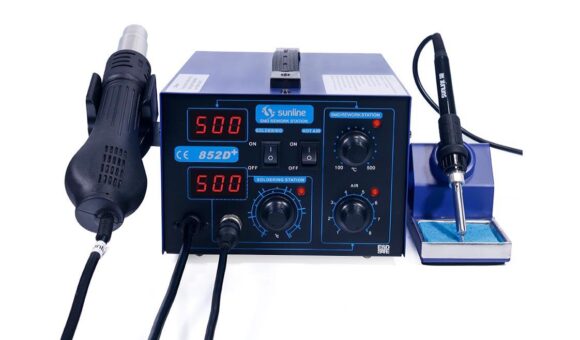
  • Hot air rework station: For suitable component removal and installation.
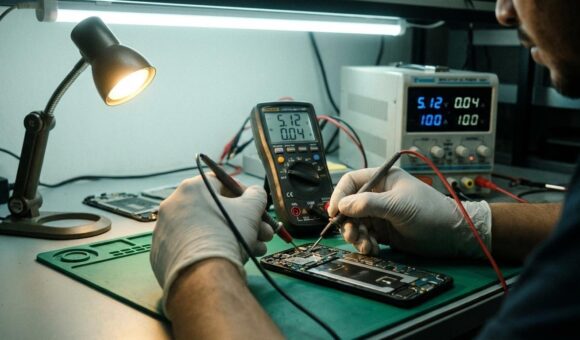
  • DC power supply: For controlled power testing and current-consumption observation.
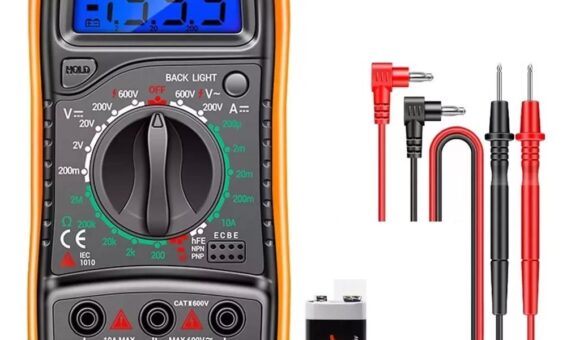
  • Digital multimeter: For voltage, resistance, continuity and diode testing.
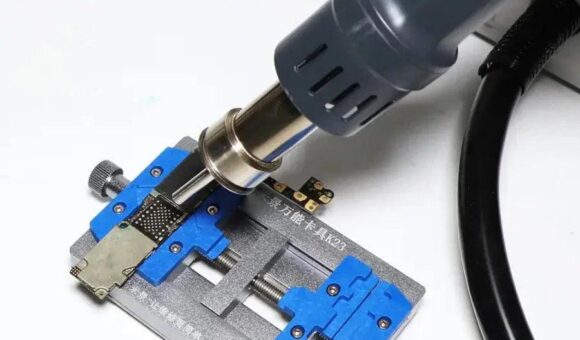
  • PCB holder: To keep the motherboard stable during precision work.
  • Soldering mat: To organise the work area and provide a suitable bench surface.

For further equipment guidance, explore our related guides:

8. Common mistakes when buying a microscope

Choosing the highest advertised magnification: Maximum magnification alone does not determine image quality or suitability for soldering.

Ignoring working distance: A microscope may offer a clear image but leave too little room for your tools.

Overlooking lighting: Poor illumination can make precision work unnecessarily difficult.

Buying an unstable stand: Movement can interfere with accurate component handling.

Ignoring your repair workload: A technician who performs occasional inspections may not need the same setup as someone doing motherboard-level micro-soldering every day.

Choosing digital magnification without checking image quality: Confirm the actual image clarity, display performance and working distance rather than relying on advertised digital zoom.

Frequently asked questions

Which microscope is best for mobile phone motherboard repair?

A stereo microscope is a practical option for many motherboard repair technicians because it provides depth perception and working space for soldering tools. A suitable digital microscope is another option, particularly when screen viewing and image capture matter.

Is a digital microscope good for micro-soldering?

It can be, provided it offers a clear image, suitable working distance, stable display performance and comfortable tool positioning. Check whether its depth perception and viewing arrangement suit your repair technique.

How much magnification do I need for phone repair?

The appropriate magnification depends on the components and repair work. A useful microscope should allow you to inspect fine details while retaining enough field of view and working distance to position your tools.

Why is working distance important?

Working distance determines how much space is available between the microscope lens and the motherboard. Enough clearance is essential for using soldering irons, tweezers, hot air tools and motherboard holders.

Do I need a microscope for basic phone repairs?

Not every repair requires one. Screen replacements, battery replacements and some basic repairs may not need microscope-level inspection. However, motherboard troubleshooting and micro-soldering benefit significantly from magnification.

Can a microscope identify a short circuit?

No. A microscope helps you visually inspect a motherboard for damage, corrosion and component-related issues. Electrical tools such as multimeters and DC power supplies are needed to investigate electrical faults.

Find mobile phone repair microscopes in Nairobi

A suitable microscope can make a significant difference when working on small smartphone motherboard components. Choose a setup that provides clear magnification, sufficient working distance, stable positioning and good illumination.

Mutesh Ventures Ltd supplies mobile phone repair equipment and workshop tools in Kenya, including microscopes, soldering stations, power supplies, stencils, adhesives and other repair essentials.

Explore the Mutesh Ventures equipment catalogue or contact the team to enquire about available microscopes and suitable workshop equipment.

Mutesh Ventures Ltd
Accra Towers, 7th Floor, Shop D3, Kenneth Matiba Road, Nairobi CBD, Kenya
Phone: 0724 946 622
Email: contact@muteshventures.com
How to Use a DC Power Supply to Diagnose Mobile Phone Charging Problems

A DC power supply can help mobile phone repair technicians investigate charging problems by showing how a phone or compatible test circuit responds to a controlled power source. By observing voltage and current consumption, a technician can gather useful clues about power-related faults.

However, a DC power supply does not automatically identify a faulty charging port, battery, charging IC or motherboard component. Accurate diagnosis requires a systematic process and, where necessary, additional tools such as a multimeter.

This guide explains how technicians can use a DC bench power supply as part of a mobile phone charging diagnosis.

What can a DC power supply tell you about a charging problem?

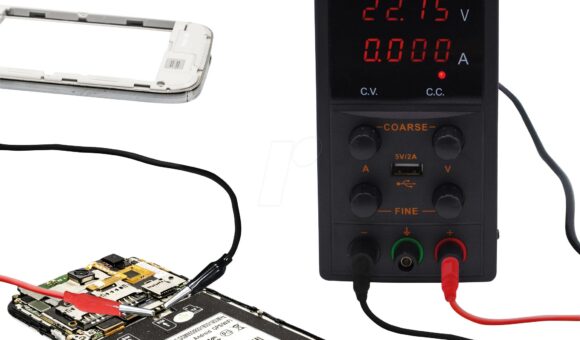
A regulated DC power supply allows a technician to provide controlled power to a compatible test connection and observe the circuit’s current consumption.

This can help investigate:

  • Phones that do not power on.
  • Devices with abnormal current consumption.
  • Suspected motherboard short circuits.
  • Power-related faults following liquid damage.
  • Devices that show unusual behaviour during controlled power testing.

It is important to distinguish a charging fault from a general power fault. A phone that does not charge may have a damaged charging port, faulty cable, defective battery, charging circuit problem or motherboard fault. Power-supply testing is only one part of the investigation.

1. Inspect the phone before connecting a power supply

Start with a physical inspection. Do not immediately connect a bench supply to a phone that has a charging problem.

Check the following:

  • Inspect the charging port for dirt, corrosion, bent contacts or physical damage.
  • Look for signs of liquid damage.
  • Check the charging cable and adapter using known-good compatible accessories.
  • Inspect the battery for swelling or other visible damage.
  • Check whether the phone responds to a known-good charger.
  • Record any symptoms, including whether the phone vibrates, displays a charging icon or heats up.

A damaged or swollen battery should be handled appropriately. Do not attempt to charge or test a visibly damaged battery.

2. Understand where the DC power supply fits into diagnosis

A DC bench power supply is useful for controlled power testing, but it is not a universal replacement for a phone charger.

A technician may use a suitable power supply with an approved battery-terminal connection, test fixture or other model-specific diagnostic method.

Before connecting anything, confirm:

  • The correct connection points for the specific phone model.
  • The required voltage and polarity.
  • Whether the battery must be disconnected.
  • The manufacturer’s or repair procedure’s recommended current limits.
  • Whether the test method is appropriate for the device’s power-management design.

Never connect a bench supply directly to an unidentified charging port or apply an arbitrary voltage to a phone’s USB input. Use the correct charging protocol and suitable equipment for USB charging tests.

3. Set the correct voltage and current limit

Voltage and current settings must match the specific diagnostic procedure.

A power supply rated at 30V 5A does not mean a technician should apply 30 volts or allow 5 amps into a phone. Those figures describe the unit’s maximum rated capacity, not the correct settings for every device.

Before switching on the output:

  1. Confirm the phone model and the correct test procedure.
  2. Verify the required voltage and polarity.
  3. Set an appropriate current limit for the test.
  4. Check the leads and connections.
  5. Confirm the output settings before connecting the device.
  6. Enable the output only when the connection is correct.

If you are still choosing equipment, read our guide on how to choose a DC power supply for mobile phone repair. You can also compare the differences in 30V 5A vs 15V 2A DC power supplies.

4. Observe the current consumption

One useful feature of a bench power supply is its current display. During a suitable controlled test, the reading can help a technician understand how the connected circuit responds when power is applied.

The reading should always be interpreted in the context of the phone model, connection method and test procedure.

For example:

  • No current draw: May indicate an open connection, incorrect polarity, disconnected test point or a circuit that is not drawing power under the test conditions.
  • Unexpectedly high current draw: May indicate a short circuit or another abnormal load. Further testing is required to locate the cause.
  • Fluctuating current: May be associated with repeated startup attempts, an unstable connection or a circuit responding abnormally.
  • A stable reading: Does not automatically prove that the charging system is healthy. Additional checks may still be necessary.

These are diagnostic clues, not universal fault codes. Different phone models and test methods can produce different readings.

5. Use a multimeter to investigate the charging circuit

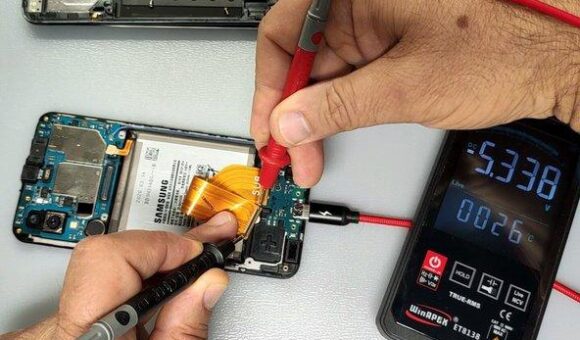
A multimeter complements a DC power supply by allowing technicians to perform electrical checks at specific points in a circuit.

Depending on the phone and the fault, a technician may check:

  • Charging-port connections.
  • Continuity through relevant circuit paths.
  • Voltage at specified test points.
  • Battery voltage using the correct procedure.
  • Suspected open circuits or short circuits.

Always use the correct meter mode and range. Never perform resistance or continuity measurements on an energised circuit.

A DC power supply helps provide controlled power and observe current consumption. A multimeter helps investigate specific electrical points. Using both appropriately provides a more complete diagnostic picture.

6. How to narrow down the cause of a charging problem

Charging faults can originate from different parts of the phone. Avoid replacing components based on a single symptom or current reading.

Possible faultWhat to investigate
Damaged charging portPhysical condition, connector pins and relevant circuit connections
Faulty charging cable or adapterTest with known-good compatible accessories
Defective batteryBattery condition and appropriate battery tests
Charging circuit faultRelevant charging-path components and voltage checks
Motherboard short circuitCurrent consumption and further board-level investigation
Liquid damageCorrosion, damaged components and affected circuit paths

The goal is to identify the faulty section before replacing parts. This reduces unnecessary component changes and helps avoid misdiagnosis.

7. Common mistakes when using a DC power supply

Applying the maximum rated voltage: A 30V supply should not be set to 30V simply because that is its maximum rating. Use the correct procedure and settings for the device.

Ignoring polarity: Incorrect positive and negative connections can damage electronic components.

Connecting directly to the charging port: A bench supply should not be connected arbitrarily to a USB input. Use appropriate charging equipment and test fixtures.

Treating every high-current reading as a short circuit: An unusual reading requires investigation. It is not proof of a specific failed component.

Ignoring the battery condition: A damaged or swollen battery should not be subjected to routine charging tests.

Skipping multimeter checks: Current consumption alone rarely provides enough information to identify the exact cause of a charging fault.

Frequently asked questions

Can a DC power supply diagnose a phone that is not charging?

It can help investigate power-related faults by providing controlled power through a suitable test connection and allowing the technician to observe current consumption. It does not independently identify every charging-system fault.

Can I connect a DC power supply directly to a phone charging port?

Not arbitrarily. A phone’s USB input may require specific charging protocols and protection circuitry. Use suitable charging equipment and model-appropriate test procedures.

What does zero current on a DC power supply mean?

It may indicate an open connection, incorrect polarity, an unsuitable test point or a circuit that is not drawing power under the test conditions. Further checks are needed before identifying the fault.

Does high current consumption mean a phone has a short circuit?

Not necessarily. Abnormally high current can indicate a short circuit or another fault, but the reading must be interpreted alongside the test setup and additional measurements.

Do I need both a DC power supply and a multimeter?

For many motherboard-level diagnostic tasks, both are useful. A bench supply provides controlled power and current readings, while a multimeter helps check voltage, resistance and continuity at specific circuit points.

Can a DC power supply replace a phone charger?

No. A bench supply is primarily a controlled electronics testing tool. It does not automatically reproduce the charging protocols and functions of a compatible phone charger.

Get mobile phone repair equipment in Nairobi

Accurate charging diagnosis requires the right equipment and a methodical approach. A regulated DC power supply, a reliable multimeter and suitable motherboard repair tools can help technicians investigate faults more effectively.

Mutesh Ventures Ltd supplies mobile phone repair equipment and workshop tools to technicians and repair businesses in Kenya.

Explore the Mutesh Ventures equipment catalogue or contact the team to enquire about available DC power supplies and other diagnostic equipment.

Mutesh Ventures Ltd
Accra Towers, 7th Floor, Shop D3, Kenneth Matiba Road, Nairobi CBD, Kenya
Phone: 0724 946 622
Email: contact@muteshventures.com
30V 5A vs 15V 2A DC Power Supply: Which One Do You Need?

If you are choosing between a 30V 5A and a 15V 2A DC power supply, the main difference is their maximum output capacity.

A 30V 5A unit can supply up to 30 volts and 5 amps within its rated operating limits. A 15V 2A unit is limited to 15 volts and 2 amps. The higher-rated option offers more flexibility for compatible electronics testing, but that does not automatically make it the right purchase for every technician.

For mobile phone repair, consider the diagnostic work you perform, the adjustment precision you need, the protection features available and your budget.

30V 5A vs 15V 2A: What is the difference?

Feature30V 5A power supply15V 2A power supply
Maximum voltage30V15V
Maximum current5A2A
Maximum theoretical output power150W30W
CapacityHigherLower
Suitable applicationsWider range of compatible electronics testingBasic and lower-power electronics testing
Workshop flexibilityGreaterMore limited
Typical considerationTechnicians needing more output capacityBeginners or technicians with simpler requirements

The maximum theoretical output power is calculated by multiplying voltage by current. Actual usable output depends on the power supply’s design and operating limits.

1. What does 30V 5A mean?

A 30V 5A DC power supply has a maximum rated output of 30 volts and 5 amps.

Its theoretical maximum output power is:

30V × 5A = 150W.

This gives the technician more output capacity for compatible electronic circuits and testing applications.

For a mobile phone repair workshop, a 30V 5A supply may be a practical choice if you handle motherboard diagnostics, work with different electronic devices or want equipment that can support a wider range of bench-testing tasks.

However, higher capacity does not mean you should apply 30 volts or 5 amps to a smartphone. Always follow the correct voltage and current settings for the specific device and diagnostic procedure.

2. What does 15V 2A mean?

A 15V 2A DC power supply has a maximum rated output of 15 volts and 2 amps.

Its theoretical maximum output power is:

15V × 2A = 30W.

It may be sufficient for basic electronics testing and applications that fall within its output limits.

For a beginner setting up a small repair bench, a 15V 2A supply may be a reasonable starting point if its specifications match the intended work.

The limitation is its lower output capacity. As your workshop takes on more varied electronics work, you may find that a higher-rated supply offers greater flexibility.

3. Which power supply is better for mobile phone motherboard repair?

For a technician who regularly handles motherboard diagnostics, a well-designed 30V 5A bench supply generally offers more flexibility than a basic 15V 2A model.

However, maximum output is only one consideration. Look for:

  • Adjustable voltage and current.
  • Accurate voltage and current readings.
  • Constant-voltage and constant-current modes.
  • Fine adjustment controls.
  • Appropriate short-circuit and overload protection.
  • Stable output and reliable construction.

A lower-rated supply with better control and accuracy may be more useful for a particular diagnostic task than a poorly designed higher-rated unit.

If you are still deciding which specifications matter most, read our guide on how to choose a DC power supply for mobile phone repair.

4. Does a 30V 5A power supply force more current into a phone?

No. A power supply rated at 5A does not automatically push 5 amps into every connected device.

The current drawn depends on the connected load, the applied voltage and the circuit’s electrical characteristics. The current-limit setting determines the maximum current the supply is allowed to deliver under its operating conditions.

This distinction is important for phone repair. A technician must select the correct voltage and current limit for the specific test rather than relying on the maximum ratings printed on the machine.

Incorrect settings or polarity can damage sensitive components.

5. Which one should a beginner buy?

If you are starting a phone repair workshop, your choice should depend on the work you intend to handle.

A 15V 2A supply may be adequate for basic, lower-power testing. It can help you get started without immediately investing in a higher-capacity unit.

A 30V 5A supply is worth considering if you expect to handle more varied electronics work and want additional output capacity.

Before purchasing either model, compare its accuracy, protection features, controls, warranty and build quality. Do not make the decision based on voltage and amperage alone.

6. Is a 30V 5A supply always worth the extra cost?

Not necessarily.

If your work only requires applications within the limits of a 15V 2A supply, paying more for a 30V 5A model may not deliver much practical value.

On the other hand, if your workshop handles different electronics and more demanding bench-testing tasks, the additional capacity can make the higher-rated model a more useful long-term investment.

Think about the repairs you currently perform and the services you plan to introduce. Buy equipment that supports those requirements rather than paying for specifications you will rarely use.

7. Other equipment to consider for your diagnostic bench

A DC power supply is only one part of a mobile phone repair workstation.

Depending on the repairs you perform, you may also need:

  • A reliable multimeter for checking voltage, resistance and continuity.
  • A soldering station for component-level repair.
  • A hot air rework station for suitable component removal and installation.
  • A microscope for inspecting small components and solder joints.
  • Suitable motherboard holders and work mats.

For related buying advice, explore:

You can also explore the Mutesh Ventures equipment catalogue for repair tools and workshop equipment.

Frequently asked questions

Is 30V 5A better than 15V 2A?

A 30V 5A supply offers higher maximum voltage, current and theoretical output power. It is more flexible for compatible applications, but the best option depends on your actual testing requirements.

Can I use a 30V 5A power supply for mobile phone repair?

Yes, a suitable regulated 30V 5A bench supply can be used for mobile phone repair diagnostics. Always select the correct output settings for the device and test procedure. Never apply the maximum rated output indiscriminately.

Is 15V 2A enough for phone repair?

It can be sufficient for some basic and lower-power electronics testing. Whether it is adequate for your phone repair work depends on the procedures and equipment you intend to use.

How do I calculate the wattage of a DC power supply?

Multiply the maximum voltage by the maximum current. For example, 30V × 5A gives 150W, while 15V × 2A gives 30W. This is the theoretical maximum based on the stated ratings.

Should I buy a 30V 5A power supply if I am a beginner?

It can be a good investment if you have the budget and expect to handle a wider range of electronics work. However, learn correct voltage selection, polarity and current limiting before using it on sensitive circuits.

Find mobile phone repair equipment in Nairobi

Whether you need a basic bench supply or a higher-capacity model, choose equipment that supports the work you perform and gives you reliable control during diagnostics.

Mutesh Ventures Ltd supplies mobile phone repair equipment and tools to technicians, repair shops and electronics businesses in Kenya.

Visit Mutesh Ventures to explore the available equipment or contact the team to enquire about DC power supply models and current availability.

Mutesh Ventures Ltd
Accra Towers, 7th Floor, Shop D3, Kenneth Matiba Road, Nairobi CBD, Kenya
Phone: 0724 946 622
Email: contact@muteshventures.com
Search products
Back to Top
Product has been added to your cart
Compare (0)