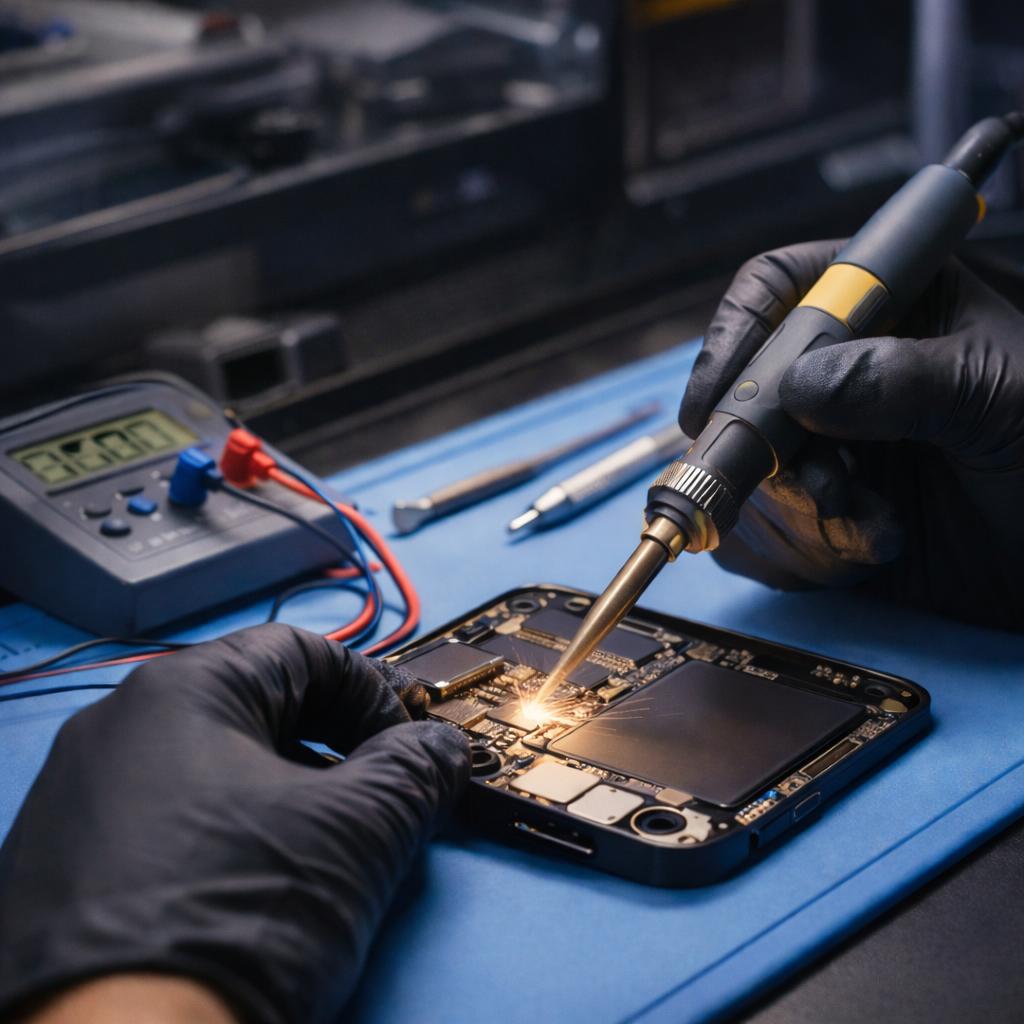
Best Soldering Stations for Mobile Phone Repair in Kenya: A Buyer’s Guide
A good soldering station can make delicate phone repairs more controlled, consistent and efficient. But choosing one is not simply about buying the machine with the highest wattage or the most buttons. The right choice depends on the components you work on, the type of repairs you handle and how much control you need over temperature.
If you repair smartphones in Kenya, whether from a small workshop in Nairobi CBD or a busy repair centre elsewhere in the country, this guide explains what to look for before investing in a soldering station.
We’ll cover the difference between ordinary soldering irons and temperature-controlled stations, the features that matter for motherboard work, common buying mistakes and how to choose equipment that suits your level of repair work.
What is the best soldering station for mobile phone repair?
The best soldering station is one that offers stable temperature control, suitable heating performance, interchangeable tips and a comfortable handle for precision work.
For basic repairs, a straightforward temperature-controlled station may be sufficient. For more demanding motherboard repairs, technicians should pay closer attention to temperature recovery, tip compatibility, heating performance and the availability of replacement tips.
There is no single model that is best for every technician. A station used for general wire soldering does not necessarily provide the control and precision needed for delicate board-level work.
1. Understand the type of soldering work you perform
Before comparing brands or prices, consider what you actually repair.
| Type of repair | Equipment considerations |
|---|---|
| Basic wire and connector soldering | A reliable temperature-controlled iron |
| Charging-port and connector work | Suitable tip selection and consistent heating |
| Motherboard component replacement | Fine tips, temperature stability and precise control |
| Micro-soldering | Compatible precision handles and suitable specialist tips |
| General workshop repairs | Durability, ease of maintenance and replacement parts |
This distinction matters because buying equipment beyond your current requirements can tie up money that could be invested in other essential tools.
Equally, buying a basic station for demanding motherboard work may limit the quality and range of repairs you can undertake.
2. Five features to examine before buying a soldering station
Temperature control
Temperature control allows the technician to select an operating temperature appropriate for the solder, component and board being worked on.
A digital display can make adjustments easier, but a digital display alone does not guarantee accurate or stable temperature performance.
Look for a station that allows practical adjustment and maintains consistent heating during normal use.
Heating performance and recovery
A soldering iron needs to transfer enough heat to the joint efficiently.
When a tip loses too much heat during soldering, the technician may be tempted to increase the temperature unnecessarily. That is not always the right solution.
Consider the station’s heating technology, rated power, compatible handle and how well it maintains temperature when working.
Soldering tip compatibility
The tip is the part that makes direct contact with the solder joint. Different tip shapes serve different purposes.
- Fine conical tips are useful for selected precision applications.
- Chisel tips provide a broader contact surface for suitable joints.
- Larger tips can transfer heat more effectively to larger connections.
Check which tips the station supports and whether replacements are readily available. A station that is difficult to maintain can become an expensive purchase over time.
Handle comfort and control
Phone motherboard repairs involve small components and limited working space.
A comfortable, lightweight handle can help with control during detailed work, particularly when repairs take a long time.
Check the handle’s ergonomics, cable flexibility and the availability of compatible replacements.
Safety and maintenance
A professional soldering setup should also consider proper grounding, a stable stand, tip cleaning and suitable ventilation.
Soldering produces fumes that should not be inhaled directly. A properly positioned fume extractor is a worthwhile addition to a technician’s workbench.
3. Soldering station vs ordinary soldering iron: which should you buy?
An ordinary soldering iron is a standalone heating tool. A soldering station has a separate control unit that regulates the connected soldering iron or handle.
| Feature | Ordinary soldering iron | Soldering station |
|---|---|---|
| Temperature adjustment | Depends on model | Usually adjustable |
| Temperature monitoring | Limited on basic models | Often includes a display |
| Workbench organisation | Simple | Dedicated control unit and stand |
| Precision work | Depends heavily on the tool | Often better suited to controlled work |
| Maintenance | Depends on design | Replacement handles and tips may be available |
For technicians regularly handling smartphone motherboard repairs, a suitable temperature-controlled station is generally a more practical long-term investment.
However, the quality and design of the individual tool matter more than the label printed on its packaging.
4. Do not confuse a soldering station with a hot air rework station
This is one of the most important distinctions when buying phone repair equipment.
A soldering station uses a heated metal tip to transfer heat directly to a solder joint.
A hot air rework station directs controlled heated airflow onto a component or board area. It is commonly used for suitable surface-mount component removal and installation.
Some machines combine both functions in one unit, while others are designed for only one type of work.
If your work involves both conventional soldering and hot air rework, you may need both capabilities. Before purchasing a combination machine, check the actual specifications, supported handles and included accessories.
Do not assume that every machine advertised as a rework station is automatically a suitable precision soldering station.
5. What soldering equipment should a phone repair technician in Kenya consider?
The Kenyan market has equipment at different price levels. Your decision should reflect the work you undertake, the reliability of the equipment and the availability of replacement accessories.
Mutesh Ventures provides a range of mobile phone repair equipment and identifies soldering stations among its product categories.
When comparing available models, examine:
- The manufacturer’s stated power rating.
- Temperature adjustment range.
- Heating element and handle design.
- Compatible soldering tips.
- Replacement-part availability.
- Warranty and after-sales support.
- Whether the machine is a soldering-only, hot-air-only or combined unit.
You can explore the Mutesh Ventures equipment catalogue to see available repair machines, soldering equipment and supporting tools.
Prices and stock can change, so confirm the current listing before making a purchase.
6. Other tools that make a soldering station more useful
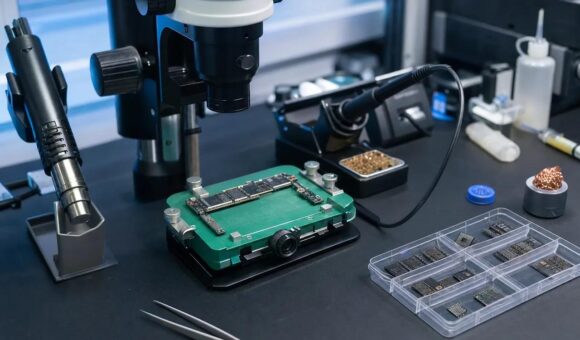
A soldering station is only one part of a functional mobile phone repair bench.
Depending on the type of work you perform, consider adding:
A PCB holder: Keeps the motherboard stable and reduces unwanted movement during delicate work.
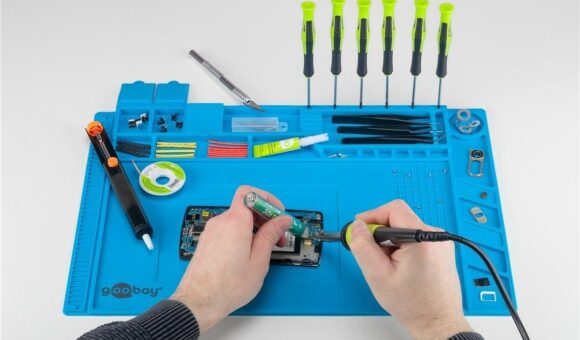
A soldering mat: Provides a more organised and heat-resistant working surface.
Precision tweezers: Help handle small components during removal and installation.
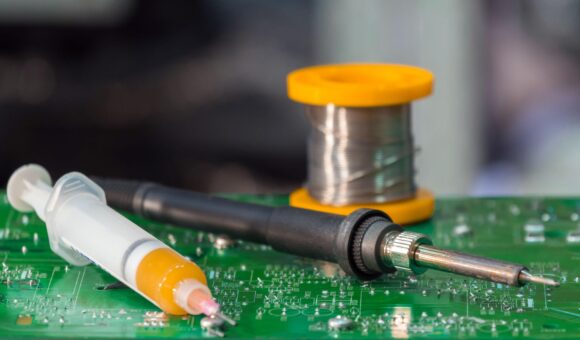
Solder wire and flux: Essential consumables for appropriate soldering applications. Choose suitable products for the work and soldering process.
A digital multimeter: Helps with electrical measurements and troubleshooting.
A microscope: Useful for inspecting small solder joints, component placement and motherboard damage.
The goal is not to purchase every accessory immediately. Build your workbench around the repairs you actually undertake, then expand as your capabilities grow.
7. Common mistakes to avoid when buying a soldering station
Choosing by wattage alone
A higher wattage rating does not automatically mean better soldering performance. Heating technology, temperature recovery, tip design and overall build quality also matter.
Assuming a digital display means precision
A display shows the selected or reported temperature. It does not independently prove that the tip maintains that temperature accurately.
Ignoring replacement tips
Before purchasing, establish whether compatible tips are available and whether they are affordable to replace.
Buying equipment that does not match your work
A basic iron may be adequate for simple jobs but unsuitable for a technician who regularly performs detailed motherboard repairs.
Overlooking maintenance and ventilation
Good equipment still requires correct use, cleaning, tip care and a safe working environment.
8. Where can you buy soldering stations in Nairobi, Kenya?
Technicians looking for mobile phone repair soldering equipment in Nairobi can compare available models, specifications and accessories before making a purchase.
Mutesh Ventures Ltd supplies mobile phone repair tools and equipment, serving individual technicians and repair businesses.
Visit Mutesh Ventures:
- Location: Accra Towers, 7th Floor, Shop D3, Kenneth Matiba Road, Nairobi CBD.
- Phone: 0724 946 622.
- Email: contact@muteshventures.com.
- Website: muteshventures.com.
If you are unsure which type of soldering station suits your work, contact the team before ordering. Explain the repairs you perform and ask about the available models, specifications and replacement accessories.
Frequently asked questions
Which soldering station is best for mobile phone motherboard repair?
Choose a temperature-controlled station with suitable heating performance, compatible precision tips and stable operation. The ideal model depends on the components and repairs you handle.
What temperature should I use when soldering mobile phone components?
There is no universal temperature for every phone repair. The appropriate setting depends on the solder alloy, component, board design, tip size and thermal requirements. Follow the component and equipment manufacturer’s guidance and use controlled heating.
Is a 60W soldering station enough for phone repair?
A 60W rating can be sufficient for some phone repair applications, but wattage alone does not establish suitability. Consider the heating technology, temperature recovery and compatible tips before choosing.
What is the difference between a soldering station and a hot air station?
A soldering station transfers heat through direct contact with a metal tip. A hot air station uses heated airflow. They serve different purposes, although combination machines are also available.
Can beginners use a digital soldering station?
Yes. A temperature-controlled station can be useful for beginners learning proper soldering techniques. However, correct temperature selection, tip care and practice are still essential.
What other tools do I need alongside a soldering station?
Depending on the repair work, useful additions include flux, solder wire, precision tweezers, a PCB holder, soldering mat, multimeter, microscope and suitable fume extraction.
Where can I buy mobile phone repair soldering equipment in Kenya?
Mutesh Ventures Ltd is located at Accra Towers, 7th Floor, Shop D3, Kenneth Matiba Road, Nairobi CBD. Visit muteshventures.com or call 0724 946 622 to enquire about available equipment.
Final thoughts
A soldering station should support the kind of repairs you want to perform, not simply look impressive on your workbench.
Pay attention to temperature control, heating performance, tip compatibility, reliability and maintenance. Compare the specifications carefully, and choose equipment that gives you room to work confidently without paying for features you do not need.
For technicians in Nairobi and across Kenya, Mutesh Ventures offers a place to explore mobile phone repair equipment and discuss the tools suited to their workshop.
Looking for the right soldering station? Visit Mutesh Ventures or contact the team on 0724 946 622 to enquire about available models.
Add a review
Your email address will not be published. Required fields are marked *