

Your Motherboard Keeps Moving? Here’s How to Choose the Right PCB Holder
You have your soldering station ready, your microscope is positioned and the component you’re working on is finally in focus. Then the motherboard shifts.
It might seem like a small inconvenience, but an unstable motherboard can make precision repairs unnecessarily difficult. It interrupts your work, affects tool positioning and makes it harder to maintain a consistent view of the repair area.
This is where a good PCB holder or motherboard clamp becomes useful.
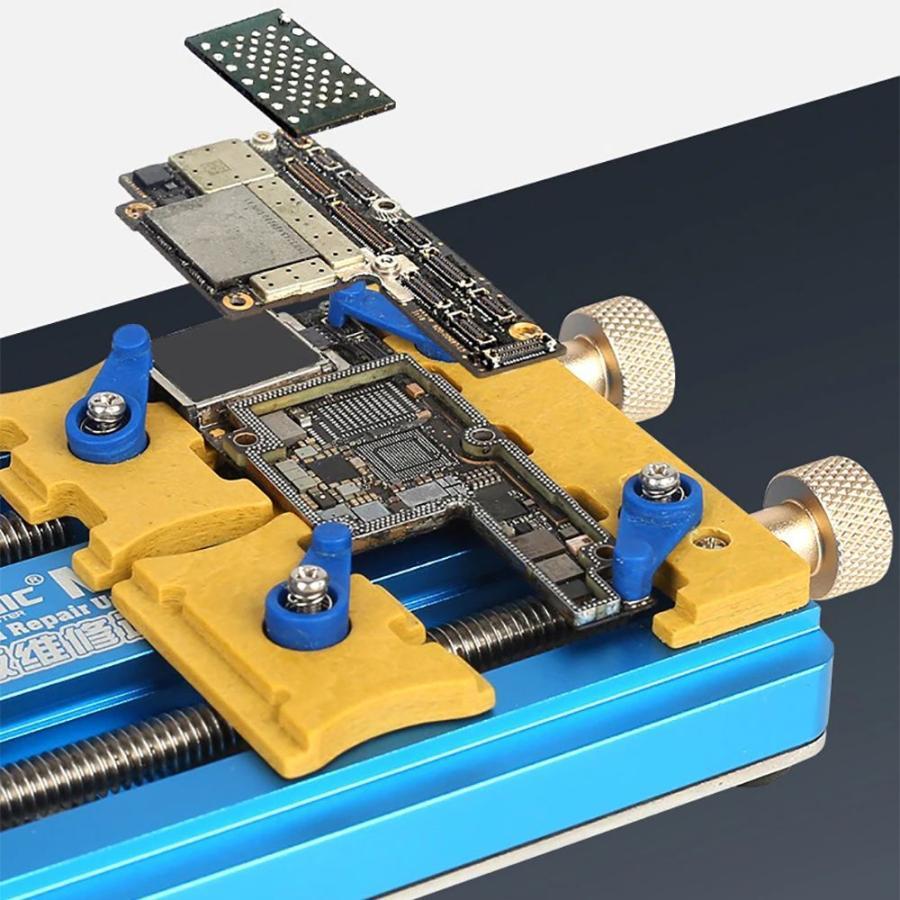
A PCB holder secures an electronic board during inspection, soldering and other repair procedures. It gives the technician a more stable working surface and helps keep the board in position while working on small components.
But not every holder is designed the same way. Some are simple adjustable fixtures, while others offer more specialised positioning and support.
Here’s what mobile phone repair technicians should consider when choosing one.
What is a PCB holder?
A PCB holder is a fixture designed to hold a printed circuit board (PCB) in position while work is being performed.
In mobile phone repair, it is commonly used to secure smartphone motherboards during inspection, soldering, component replacement and other precision tasks.
Depending on the design, a holder may provide:
- Adjustable gripping points.
- Rotating or tilting movement.
- Support for different board sizes.
- Access to the repair area.
- A stable base for precision work.
The purpose is straightforward: keep the motherboard steady so the technician can concentrate on the repair.
Why do mobile phone repair technicians need a motherboard holder?
A motherboard is a small, delicate electronic assembly. It contains components, connectors and circuit paths that can be difficult to work on when the board is not properly supported.
A suitable holder helps in several ways.
1. It keeps the motherboard stable
Movement during soldering or inspection can make precision work more difficult.
A holder reduces unnecessary movement and helps keep the repair area in a consistent position.
2. It improves access to the repair area
A well-designed holder can make it easier to position a motherboard beneath a microscope and reach the component being repaired.
Some adjustable designs also allow the technician to change the board’s orientation without repeatedly removing it.
3. It supports a more organised workstation
Instead of improvising with unsuitable objects to keep a board in place, a dedicated holder provides a more consistent working arrangement.
This is particularly useful when several repair jobs are handled throughout the day.
4. It makes precision work more manageable
When the motherboard is properly secured, the technician can concentrate on positioning tweezers, soldering tips and other tools.
A holder does not replace skill or careful technique, but it can make the working process more controlled.
Types of PCB holders used in electronics repair
Different holders suit different boards and working styles. Understanding the common designs will help you choose equipment that matches your repair work.
1. Adjustable PCB holders
Adjustable PCB holders use movable gripping points to accommodate different board dimensions.
They are useful for technicians who work with a variety of electronic boards rather than one fixed size.
Before buying, check how the gripping points adjust and whether they can secure the types of smartphone motherboards you commonly handle.
2. Rotating PCB holders
Some fixtures allow the board to rotate or change orientation while remaining secured.
This can be convenient when working on different areas of a motherboard because you can reposition the board without starting the clamping process again.
Check that the rotation mechanism locks securely. A holder that moves unexpectedly defeats its purpose.
3. Universal motherboard clamps
Universal-style clamps are designed to accommodate different board sizes and configurations.
They may be useful in a mobile phone repair workshop where technicians handle multiple phone brands and motherboard layouts.
However, the word universal does not guarantee compatibility with every board. Check the holder’s dimensions, gripping range and adjustment mechanism before purchasing.
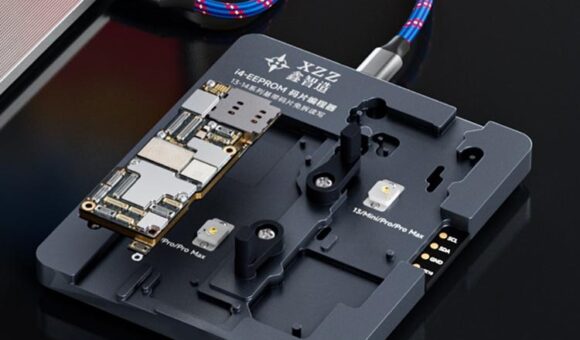
4. Specialised motherboard fixtures
Some fixtures are designed around particular board shapes or repair procedures.
They can provide more targeted support for specialised work, but they may be less flexible than an adjustable holder.
If you regularly work on a particular device or board design, a specialised fixture may be worth considering.
What should you look for when buying a PCB holder?
The most expensive holder is not automatically the best one for your workshop. Focus on the features that affect stability, compatibility and everyday usability.
| Feature | What to check |
|---|---|
| Grip strength | Holds the board securely without unnecessary movement |
| Adjustability | Accommodates the board sizes you work with |
| Board protection | Contact points do not unnecessarily damage the PCB |
| Stability | Base and locking mechanisms remain secure |
| Rotation | If included, the mechanism locks in position |
| Tool clearance | Leaves enough room for soldering and inspection |
| Construction | Suitable for repeated workshop use |
Grip strength and board protection
A holder needs to secure the motherboard without applying excessive pressure.
Look at how the gripping points contact the board. Poorly positioned clamps can interfere with components or put unnecessary stress on delicate areas.
Choose a fixture that holds the board securely while allowing you to position it appropriately.
Adjustability
If you work on different smartphone models, adjustability becomes especially important.
A holder that accommodates a range of board sizes can be more practical than one designed around a single configuration.
Stability
Check the base, adjustment points and locking mechanisms.
The holder should remain steady when you’re positioning tools or changing the viewing angle.
Space for your tools
Your holder must work with the rest of your workstation.
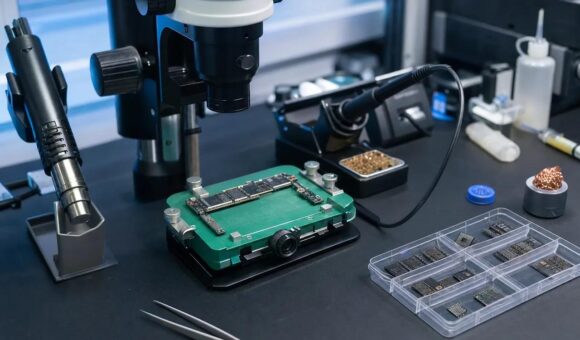
Consider whether it provides sufficient clearance for your microscope, soldering iron, tweezers and hot air handpiece.
A holder that secures the motherboard but obstructs your tools may not be suitable for your workflow.
PCB holder vs motherboard clamp: is there a difference?
The terms are often used interchangeably in electronics repair, and product descriptions do not always follow one consistent naming convention.
Generally, a PCB holder describes a fixture that supports a printed circuit board, while a motherboard clamp emphasises the gripping mechanism used to secure the board.
The important thing is not the product name. It is how the equipment holds the board, whether it accommodates your repair tasks and how much access it provides to the work area.
Always assess the actual design and specifications rather than relying on the label alone.
How to use a PCB holder during motherboard repair
A PCB holder is straightforward to use, but correct positioning matters.
Step 1: Select the appropriate holder.
Choose a fixture that can accommodate the motherboard without interfering with delicate components.
Step 2: Position the board.
Place the motherboard so the repair area is accessible and the gripping points contact suitable areas.
Step 3: Secure the board.
Adjust the clamps carefully. The motherboard should remain stable without being subjected to unnecessary pressure.
Step 4: Check your working clearance.
Position your microscope and tools. Make sure the holder does not obstruct the soldering iron, tweezers or hot air nozzle.
Step 5: Reposition when necessary.
If you need to work on another section of the board, use the holder’s adjustment or rotation mechanism where available. Check that it locks securely before continuing.
Follow the manufacturer’s instructions for the particular fixture you’re using.
Common mistakes when choosing or using a motherboard holder
Even a good holder can become frustrating when it is unsuitable for the work being performed.
Watch out for these mistakes:
- Choosing a holder based only on price: A low-cost fixture may not provide the stability or adjustment your work requires.
- Ignoring motherboard dimensions: Not every holder accommodates every board.
- Over-tightening the clamps: Excessive pressure can damage or stress the board.
- Blocking the repair area: Poor positioning can prevent access to the component you’re working on.
- Ignoring microscope clearance: The holder must fit into your actual workstation arrangement.
- Using an unstable base: A holder that shifts during work creates another problem instead of solving one.
The best holder is one that secures the board reliably while allowing you to work comfortably.
What other tools should you use with a PCB holder?
A PCB holder is only one part of a precision motherboard repair setup.
For a more capable workstation, consider combining it with:
Stereo or digital microscope: Helps you inspect small components and solder joints.
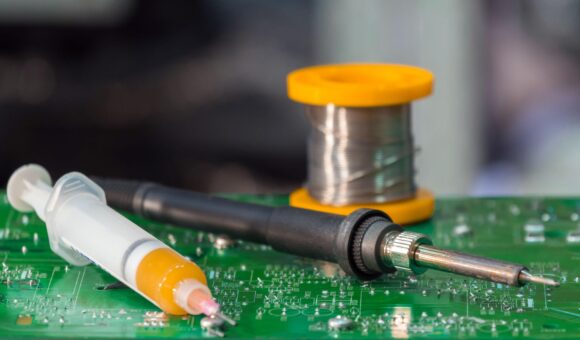
Soldering station: Provides controlled heat for suitable soldering procedures.
Hot air rework station: Supports the removal and installation of suitable surface-mount components.
Precision tweezers: Help position and handle small components.
Multimeter: Supports electrical measurements and diagnostic procedures.
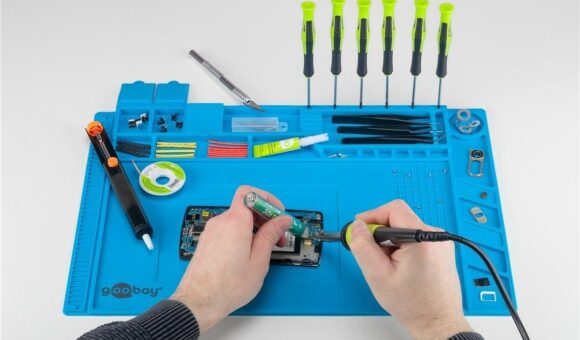
Soldering mat: Helps organise the working area and keep small accessories within reach.
If you’re building a complete workstation, read our guide to setting up a professional mobile phone motherboard repair bench.
You can also explore our guide to essential tools for starting a mobile phone repair business in Kenya.
Add a review
Your email address will not be published. Required fields are marked *