
Stereo or Digital Microscope for Phone Repair? Choose the Right View for the Job
When you’re repairing a smartphone motherboard, seeing the fault clearly is only half the job. You also need enough room to position your tweezers, soldering iron and other tools without fighting the microscope.
That is where the choice between a stereo microscope and a digital microscope becomes important.
Both can help mobile phone technicians inspect small components, solder joints and motherboard damage. However, they offer different working experiences. A stereo microscope gives you a natural three-dimensional view through eyepieces, while a digital microscope displays the magnified image on a screen.
So which one makes more sense for your repair bench?
For technicians who regularly perform micro-soldering and component-level repairs, a stereo microscope is often the more practical starting point. A digital microscope may be the better fit when screen viewing, recording or sharing images is a priority.
Let’s look at what actually matters before you spend money.
Stereo vs digital microscope: The differences at a glance
| Feature | Stereo microscope | Digital microscope |
|---|---|---|
| How you view the board | Through eyepieces | On a screen or monitor |
| Depth perception | Natural 3D view | Depends on the imaging system |
| Tool positioning | Direct view of the work area | Requires coordination with the screen image |
| Image and video capture | May need an attached camera | Often available, depending on model |
| Shared viewing | Requires an additional camera or setup | Convenient on a shared screen |
| Typical strength | Hands-on precision work | Screen-based inspection and documentation |
The important question is not which technology sounds more advanced. It is which one lets you work comfortably and accurately.
1. Stereo microscopes: Why motherboard technicians often prefer them
Imagine trying to replace a tiny component on a crowded smartphone motherboard. You need to see the solder joints, judge the position of your tweezers and guide your soldering iron without losing track of the work area.
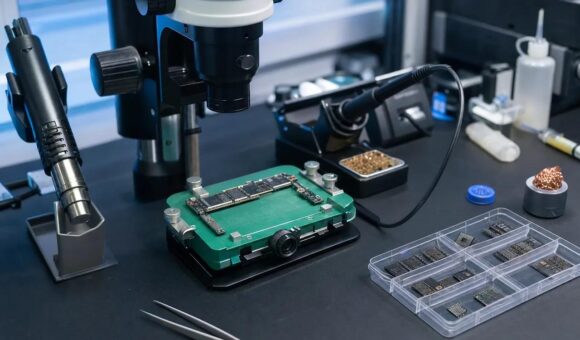
A stereo microscope makes this process more natural because you look directly through two optical eyepieces and see depth.
That three-dimensional view helps with tasks such as:
- Inspecting solder joints and small components.
- Positioning tweezers around delicate parts.
- Working on connectors and fine-pitch components.
- Examining corrosion and physical board damage.
- Performing micro-soldering and component replacement.
Another important advantage is that the microscope can leave working space beneath the lens for your tools.
Where it makes the most sense: A repair bench where motherboard inspection and hands-on soldering are part of everyday work.
2. Digital microscopes: When the screen makes more sense
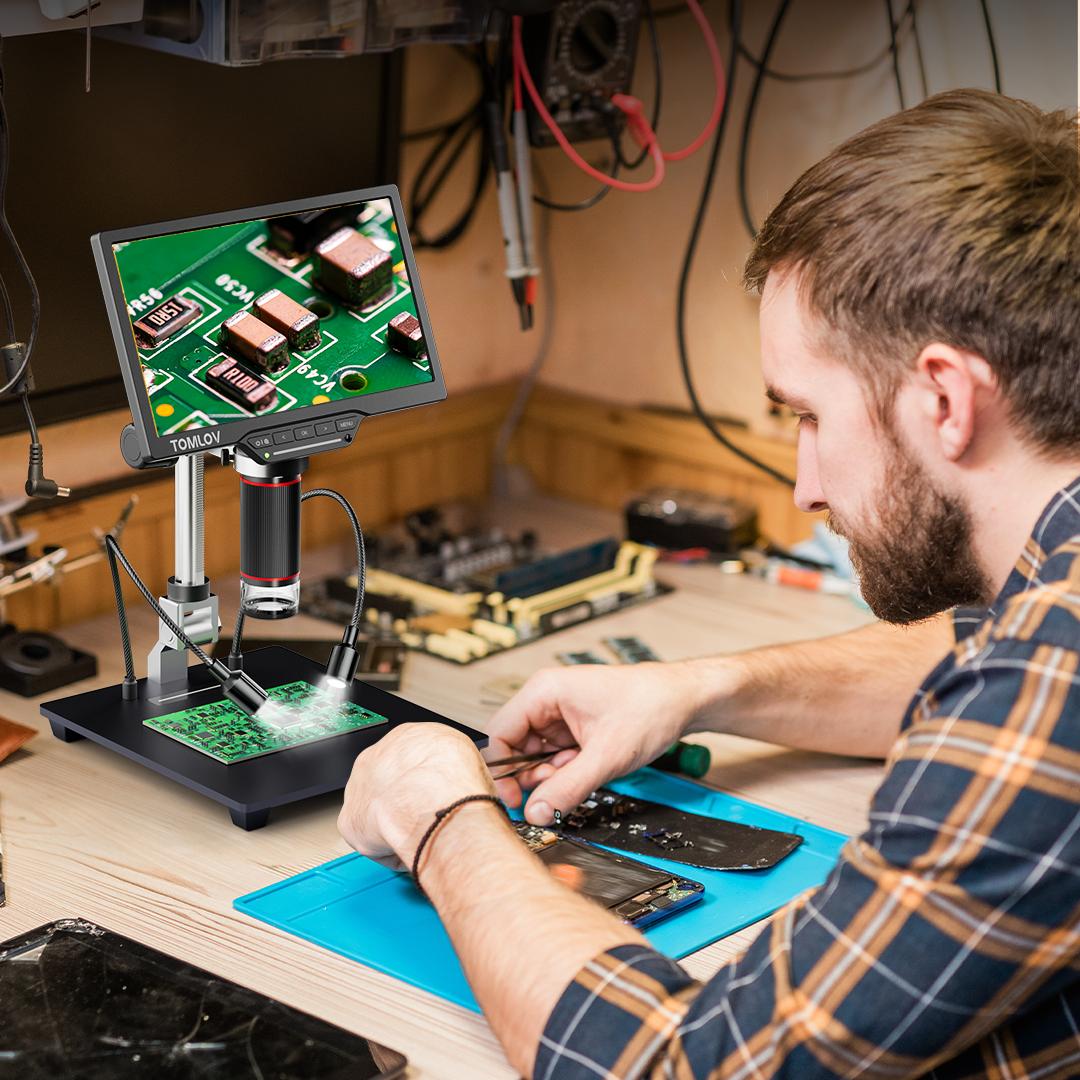
A digital microscope uses a camera to capture the magnified image and display it on a monitor or screen.
Instead of looking through eyepieces, you work while watching the screen.
This can be useful when you want to:
- Display motherboard details on a larger monitor.
- Capture photographs of damaged components.
- Record repair procedures, depending on the model.
- Demonstrate a repair to a trainee or colleague.
- Inspect boards without continuously looking through eyepieces.
Digital microscopes can also make it easier for more than one person to view the same image.
However, screen size and advertised digital magnification can be misleading. A large image does not necessarily mean that the microscope provides better optical detail.
Check the camera resolution, lens quality, display performance and working distance before purchasing.
Where it makes the most sense: A workshop that values screen-based inspection, documentation, demonstrations or shared viewing.
3. The working-distance question: Will your tools fit?
This is one of the most overlooked microscope specifications.
Working distance is the space between the microscope’s objective lens and the motherboard being inspected.
Why does it matter?
Because a microscope is not useful for soldering if there is barely enough room to fit the motherboard, let alone your soldering iron and tweezers.
Before buying, check:
- Whether your soldering iron can comfortably reach the board.
- Whether tweezers can move freely beneath the lens.
- Whether the motherboard holder fits under the microscope.
- Whether the stand gives you enough height and positioning flexibility.
- Whether the lens remains clear of your hands and tools.
Do not choose a microscope based on magnification alone. A comfortable working distance can make a bigger difference to your daily experience.
4. Magnification: More is not automatically better
It is tempting to choose the microscope with the highest advertised magnification. But extreme magnification can reduce your field of view and make it harder to position tools.
For motherboard work, you need a useful balance between detail and visibility.
Think about the work you perform:
- Board inspection: You need enough field of view to locate components and examine larger sections.
- Connector inspection: You need sufficient detail to examine pins and connections.
- Micro-soldering: You need a clear image while retaining enough space to position tools.
- Post-repair inspection: You need to examine solder joints and component placement.
Also distinguish between optical magnification and digital zoom. Digital zoom enlarges the image electronically; it does not necessarily reveal additional optical detail.
Ask to see the microscope working at the magnification you intend to use.
5. Lighting: The small detail that changes everything
A good microscope with poor lighting can still make repair work difficult.
Motherboard components, solder and metal surfaces can reflect light. Uneven illumination creates shadows, while excessive brightness can produce glare.
Look for:
- Adjustable LED brightness.
- Even lighting across the board.
- Minimal glare on reflective surfaces.
- A light source that does not obstruct your tools.
- Comfortable illumination during longer repair sessions.
A ring light or suitable auxiliary LED lighting can improve visibility, depending on the microscope setup.
6. Which microscope should you buy?
Here is a practical way to make the decision.
| Your priority | Better starting point |
|---|---|
| Regular motherboard micro-soldering | Stereo microscope |
| Natural depth perception | Stereo microscope |
| Screen-based inspection | Digital microscope |
| Recording repair procedures | Digital microscope with recording support |
| Demonstrating work to trainees | Digital microscope with a suitable monitor |
| Hands-on component positioning | Stereo microscope |
There is no universal winner. A well-built microscope with suitable optics, working distance and lighting will serve you better than an impressive specification sheet that does not suit your workflow.
7. Build the rest of your repair bench around the microscope
A microscope does not work in isolation. If you are investing in precision motherboard repair, consider how the rest of your equipment will support it.
A practical setup may include:
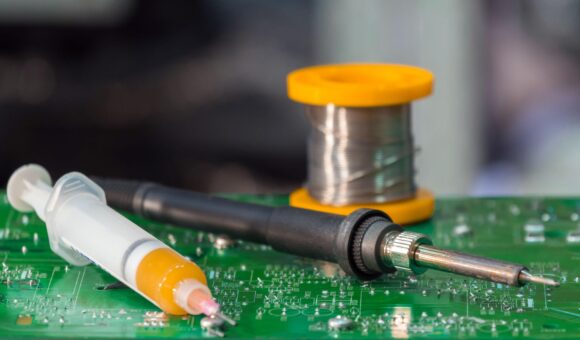
- Soldering station: For controlled soldering and component replacement.
- Hot air rework station: For suitable component removal and installation.
- DC power supply: For controlled power testing and current-consumption observation.
- Digital multimeter: For voltage, resistance, continuity and diode testing.
- PCB holder: To keep the motherboard stable.
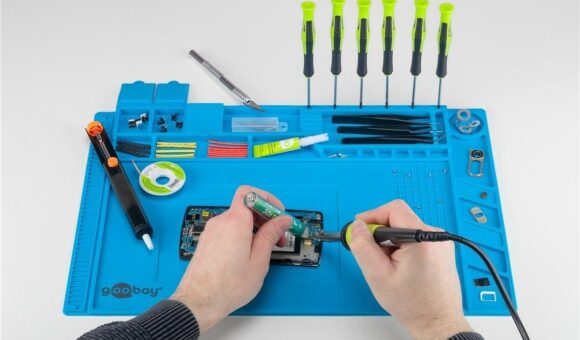
- Soldering mat: To organise and protect the work surface.
You can explore the related equipment guides:
- Best microscopes for mobile phone motherboard repair
- How to choose a soldering station for mobile phone motherboard repair
- How to choose a hot air rework station for phone repair
- How to choose a DC power supply for mobile phone repair
- Best multimeters for mobile phone repair technicians
Frequently asked questions
Is a stereo microscope better than a digital microscope for phone repair?
For hands-on motherboard repair and micro-soldering, a stereo microscope is often more practical because it provides natural depth perception. A digital microscope is useful for screen viewing, demonstrations and recording work.
Can I use a digital microscope for micro-soldering?
Yes, provided it offers sufficient image quality, working distance and stable display performance. Check that you can position your tools comfortably while watching the screen.
Why is a stereo microscope useful for motherboard repair?
It provides a three-dimensional optical view, helping technicians judge component position and work with small parts beneath the lens.
Does higher microscope magnification mean better quality?
No. Optical quality, resolution, working distance, lighting and field of view all matter. Very high magnification can make it harder to see the surrounding work area.
Can a digital microscope replace a stereo microscope?
It can replace one for some inspection and documentation tasks. However, technicians who depend on natural depth perception for hands-on precision work may still prefer a stereo microscope.
What should I check before buying a microscope for phone repair?
Check the optical quality, useful magnification range, working distance, lighting, stand stability and available workspace beneath the lens. If buying a digital microscope, also check the camera, monitor compatibility and display performance.
Choose microscope equipment that suits your repair work
The right microscope should make your work easier, not force you to change the way you repair phones.
If you spend most of your time performing motherboard-level repairs, prioritise a clear optical view, useful working distance and comfortable tool positioning. If you need to demonstrate, document or share your work, a suitable digital microscope may be a better fit.
Mutesh Ventures Ltd supplies mobile phone repair equipment and workshop tools in Kenya, including microscopes, soldering stations, power supplies, stencils and other repair essentials.
Explore the Mutesh Ventures equipment catalogue or contact the team to enquire about available microscopes and equipment for your workshop.
Mutesh Ventures Ltd
Accra Towers, 7th Floor, Shop D3, Kenneth Matiba Road, Nairobi CBD, Kenya
Phone: 0724 946 622
Email: contact@muteshventures.com
Add a review
Your email address will not be published. Required fields are marked *