

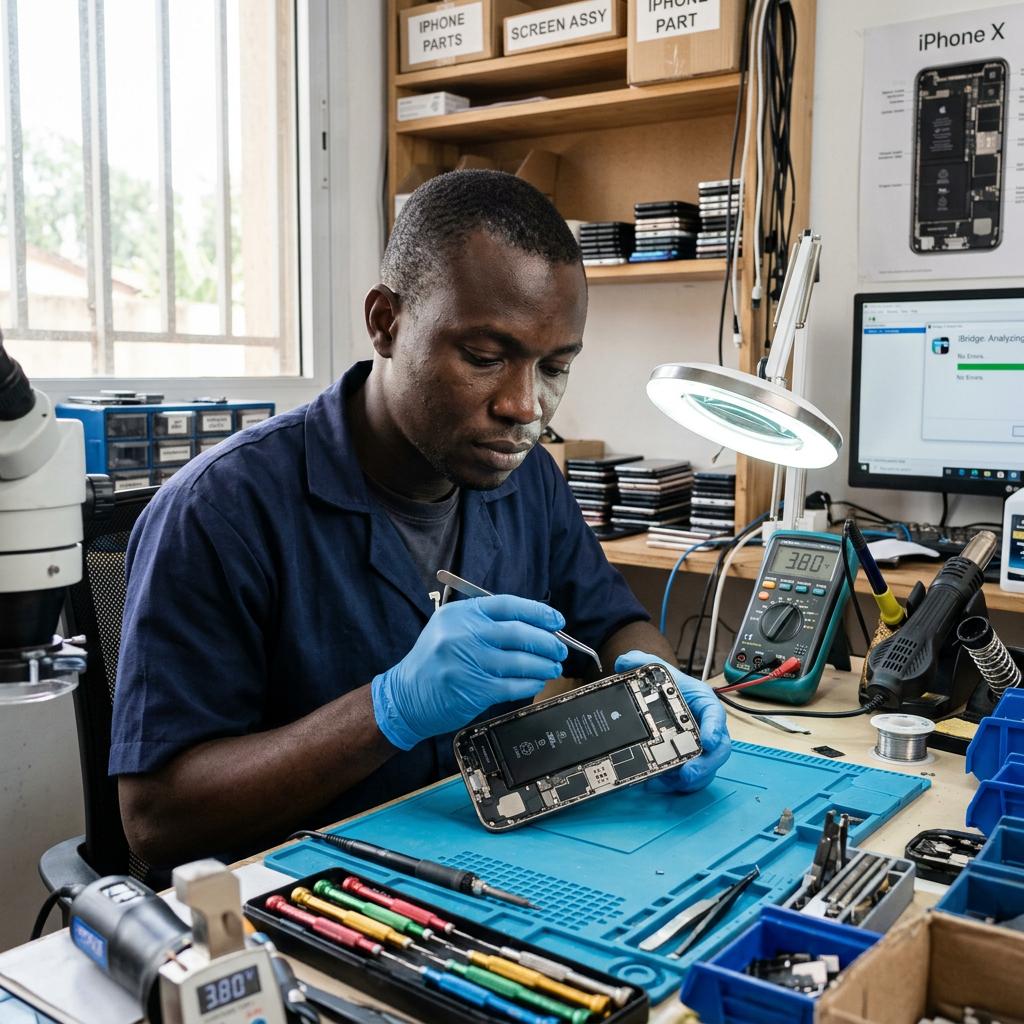
Starting a Phone Repair Business in Kenya? These Are the Tools You Actually Need
Starting a mobile phone repair business in Kenya can be an exciting opportunity, but buying equipment for your workshop can quickly become expensive.
Walk into an electronics tools shop and you’ll find soldering stations, hot air rework machines, multimeters, microscopes, repair kits, PCB holders and dozens of smaller accessories. Everything looks useful when you’re starting out.
But do you need all of it immediately?
Not necessarily.
The smarter approach is to build your toolkit around the repairs you intend to offer. Start with reliable essentials, understand what each tool does and invest in specialised equipment as your skills and customer base grow.
Whether you’re planning a small repair shop in Nairobi CBD, setting up a workstation from home or upgrading an existing business, here’s a practical guide to the tools worth considering.
1. Precision screwdriver set
A screwdriver set is one of the first purchases for any phone repair technician.
Modern smartphones use different screw types and sizes. Using the wrong screwdriver can damage screw heads, make disassembly difficult and potentially damage the device.
Look for a kit containing:
- Precision Phillips screwdrivers.
- Pentalobe screwdrivers.
- Torx screwdrivers.
- Suitable flat-head and other specialised bits.
- Comfortable handles.
- A storage case that keeps bits organised.
Different phone brands and models use different fasteners, so check that your kit supports the devices you expect to service.
A reliable screwdriver set is useful for everyday repairs, including screen replacement, battery replacement and other device disassembly procedures.
2. Opening tools and precision tweezers
Phone repair involves handling delicate components, connectors, cables and small parts.
Your toolkit should include suitable opening tools and precision tweezers.
Useful accessories include:
- Plastic opening picks.
- Spudgers.
- Opening tools.
- Suction handles.
- Fine-point tweezers.
- Small component-handling tools.
Plastic opening tools are particularly useful when separating suitable phone components because they can reduce the risk of scratching or damaging surfaces compared with inappropriate metal tools.
Tweezers help with positioning small components and handling delicate parts. Choose different tip shapes according to the work you perform.
Avoid using excessive force when opening devices. Modern phones often contain fragile flex cables, adhesive-backed components and tightly fitted assemblies.
3. A quality multimeter
A multimeter is an essential diagnostic tool for a technician who wants to investigate electrical faults rather than simply replace parts.
It can help you measure voltage, resistance and current, perform continuity checks and use diode-test functions.
When buying a multimeter, consider:
- DC voltage measurement.
- Resistance measurement.
- Continuity testing.
- Diode mode.
- Suitable measurement ranges.
- Probe quality.
- Input protection and safety ratings.
A multimeter becomes particularly useful when investigating charging problems, suspected short circuits, damaged connections and other electrical faults.
You don’t necessarily need the most expensive model when starting out. However, choose one with dependable measurements and suitable protection for the work you intend to perform.
For a more detailed buying guide, read Best Multimeters for Mobile Phone Repair Technicians.
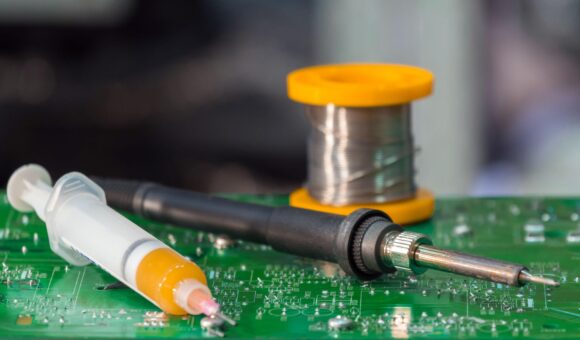
4. Soldering station
If you plan to handle board-level repairs, a soldering station is an important investment.
It provides controlled heat through a soldering tip and supports tasks such as soldering wires, repairing suitable pads and working with electronic components.
When choosing a station, pay attention to:
- Adjustable temperature control.
- Heat recovery.
- Compatible replacement tips.
- Handpiece comfort.
- ESD considerations.
- Availability of spare parts.
A soldering station should match the type of work you intend to perform. A technician who mainly handles screen and battery replacements may have different requirements from someone specialising in motherboard repair.
If you’re unsure what to buy, read How to Choose a Soldering Station for Mobile Phone Motherboard Repair.
5. Hot air rework station
A hot air rework station uses controlled heated airflow to remove or install suitable surface-mount components.
It becomes particularly useful when your repair work involves motherboard components that are difficult to handle with a conventional soldering iron alone.
Before buying, compare:
- Temperature adjustment.
- Airflow control.
- Available nozzle sizes.
- Heating performance.
- Handpiece design.
- Cooling and safety features.
The correct temperature and airflow depend on the component, motherboard and repair procedure. Poor technique or excessive heat can damage nearby components and the board itself.
If you’re building a motherboard repair toolkit, understand the difference between a hot air rework station and a soldering station before choosing either.
Our guide explains Hot Air Rework Station vs Soldering Station: What’s the Difference?.
6. DC power supply
A bench DC power supply is useful for technicians who perform electrical diagnostics.
It provides controlled power for suitable testing procedures and allows the technician to observe voltage and current behaviour.
When choosing one, consider:
- Adjustable voltage.
- Current limiting.
- Clear digital displays.
- Constant-voltage and constant-current operation.
- Suitable protection features.
- Stable output.
A DC power supply is not essential for every basic phone repair service. However, it becomes valuable as you expand into motherboard diagnostics and more advanced troubleshooting.
Read How to Choose a DC Power Supply for Mobile Phone Repair before purchasing one.
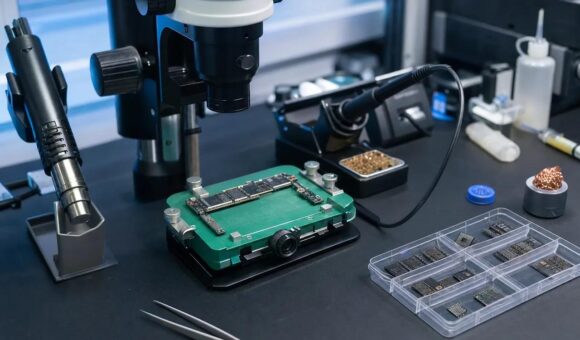
7. Microscope for precision motherboard work
A microscope helps technicians inspect small components, solder joints, pads and other details that are difficult to see clearly with the naked eye.
If you intend to specialise in micro-soldering, it is one of the tools worth budgeting for.
Look beyond the advertised magnification. Consider:
- Image clarity.
- Useful magnification range.
- Working distance.
- Field of view.
- Lighting.
- Stand stability.
A stereo microscope provides a natural three-dimensional view, while a digital microscope displays the work on a screen.
You can learn more in our guides to choosing a microscope for mobile phone motherboard repair and stereo vs digital microscopes.
If you’re still learning micro-soldering, you can also read How Much Microscope Magnification Do You Really Need for Micro-Soldering?.
8. PCB holder and motherboard clamp
A motherboard needs to remain stable while you’re inspecting or working on it.
A PCB holder or motherboard clamp secures the board and makes it easier to access the repair area.
When choosing one, consider:
- Grip and stability.
- Adjustable positioning.
- Compatibility with different board sizes.
- Access to both sides where required.
- Clearance for your microscope and soldering tools.
A suitable holder helps reduce unnecessary board movement during precision work.
For technicians who regularly perform motherboard repairs, this is a practical addition to the workstation rather than an unnecessary accessory.
9. Soldering consumables
Your workshop also needs a reliable supply of consumables.
These are the materials you’ll use repeatedly during repair work, so buying suitable products matters.
Consider keeping:
Solder wire: Used to create soldered electrical connections. Choose a suitable diameter and composition for your applications.
Soldering flux: Helps improve solder wetting and supports controlled soldering.
Solder paste: Used in suitable soldering and rework processes. Its composition and application should match the task.
Desoldering braid: Helps remove excess solder from appropriate pads and connections.
Cleaning materials: Suitable cleaning products help remove flux residues and keep the work area tidy.
Do not assume all fluxes, solder wires or solder pastes are interchangeable. Choose materials according to the repair process and component requirements.
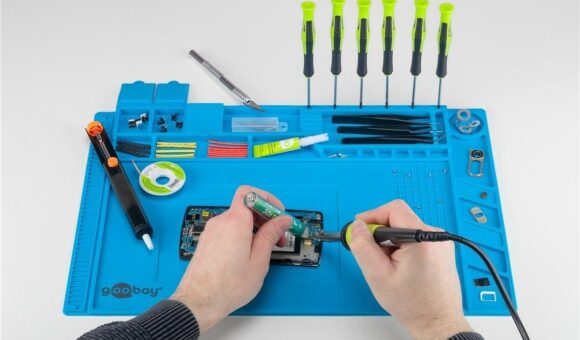
10. Soldering mat and workstation accessories
A repair mat helps organise your working area and provides a defined surface for handling phones, tools and small components.
Look for one with:
- Enough surface area.
- Useful compartments for screws and small parts.
- A surface suitable for your repair processes.
- Easy cleaning.
- Clear product specifications.
If ESD protection is important to your work, verify that the mat is designed for that purpose. Not every silicone repair mat is ESD-safe.
You should also consider tool stands, organisers, lighting and suitable fume extraction.
These accessories may not look as impressive as a microscope or rework station, but they make everyday workshop work more organised.
11. Phone repair heating and separation equipment
If your business will handle screen replacement and device refurbishment, you may also need equipment for separating displays and handling adhesive-backed components.
Depending on the phones and procedures you support, this may include:
- LCD separators.
- Suitable heating equipment.
- Screen opening tools.
- Adhesive removal accessories.
- Display handling tools.
Choose equipment according to the device models you intend to service. Different screens and assemblies require different handling methods and temperature controls.
Do not purchase specialised separation equipment simply because it is available. First establish whether screen replacement will be a significant part of your service offering.
12. What should you buy first?
This is where many new technicians make costly mistakes.
Buying every available tool at once can consume your starting capital before you’ve established which services generate consistent demand.
A more practical approach is to prioritise equipment in stages.
| Stage | Tools and equipment | Purpose |
|---|---|---|
| Basic repair toolkit | Screwdrivers, opening tools, tweezers and basic hand tools | Device opening and component handling |
| Electrical diagnostics | Multimeter | Electrical measurements and fault investigation |
| Soldering capability | Soldering station, flux and solder wire | Suitable soldering repairs |
| Rework capability | Hot air rework station and PCB holder | Suitable motherboard rework |
| Advanced diagnostics | DC power supply | Controlled electrical testing |
| Precision motherboard work | Microscope and supporting workstation | Inspection and micro-soldering |
This is a suggested purchasing sequence, not a rule. If your business specialises in motherboard repair, you may need to invest in a microscope and rework equipment earlier.
The right starting toolkit depends on your training, repair experience, budget and the services you intend to offer.
13. Don’t forget the business side of your toolkit
Having good equipment is only one part of running a successful phone repair business.
You also need to think about:
- A clean and organised customer reception area.
- Secure storage for customers’ devices.
- A reliable process for recording repairs.
- Clear pricing and communication.
- Proper handling of customer data and device access.
- A way to track parts and consumables.
- A clear process for testing devices before returning them.
A technician may be excellent at repairing phones but still struggle if devices are misplaced, customer expectations are unclear or repair records are poorly managed.
Treat your workshop as a business, not just a collection of tools.
Frequently asked questions
What tools do I need to start a mobile phone repair business in Kenya?
Start with a precision screwdriver set, opening tools, tweezers, a multimeter and suitable basic repair accessories. Add soldering and hot air equipment according to the services you intend to offer.
Do I need a microscope when starting phone repairs?
Not necessarily. A microscope becomes particularly useful when you begin performing precision motherboard repairs and micro-soldering. If you mainly handle basic component replacement, you may prioritise other equipment first.
Should I buy a soldering station or hot air rework station first?
They perform different functions. Your choice should depend on the repairs you plan to handle. If your work involves a broad range of motherboard repairs, having both can provide greater flexibility.
Is a DC power supply necessary for phone repair?
It is useful for controlled electrical diagnostics, but it may not be an immediate requirement for someone starting with basic repairs. Its importance increases as you expand into board-level troubleshooting.
How much does it cost to start a phone repair business in Kenya?
There is no single starting figure because costs depend on the services offered, equipment quality, brands and whether you buy new or used tools. Build a list around your intended services and compare equipment before committing your capital.
Where can I buy mobile phone repair tools in Nairobi?
Mutesh Ventures Ltd supplies mobile phone repair tools and equipment in Nairobi CBD. You can explore its online catalogue or contact the team to enquire about equipment availability.
Build your toolkit around the repairs you want to perform
You don’t need the biggest workshop or the most expensive equipment to begin building a phone repair business.
You need the right tools for the work you understand, a sensible purchasing plan and the willingness to keep improving your skills.
Start with the essentials. Add diagnostic and motherboard repair equipment as your capabilities expand. Most importantly, buy tools that support the services your customers actually need.
For mobile phone repair tools and equipment in Nairobi, visit Mutesh Ventures or get in touch with the team.
Mutesh Ventures Ltd
Accra Towers, 7th Floor, Shop D3, Kenneth Matiba Road, Nairobi CBD, Kenya.
Phone: 0724 946 622
Email: contact@muteshventures.com
Add a review
Your email address will not be published. Required fields are marked *